
Your AI chef, working from your own kitchen
It suggests dinner from what you have, walks you through each step, then updates your pantry.
Free: 10 photo scans and 10 recipe searches a month. No sign-up.
- Cook ModeOne step at a time
- I Cooked ThisUpdates your pantry
- 20 badgesFor your milestones
How it works
From recipe to I Cooked This
Pick a recipe
Choose one of the 3 recipes written for the food in your pantry.
Cook it step by step
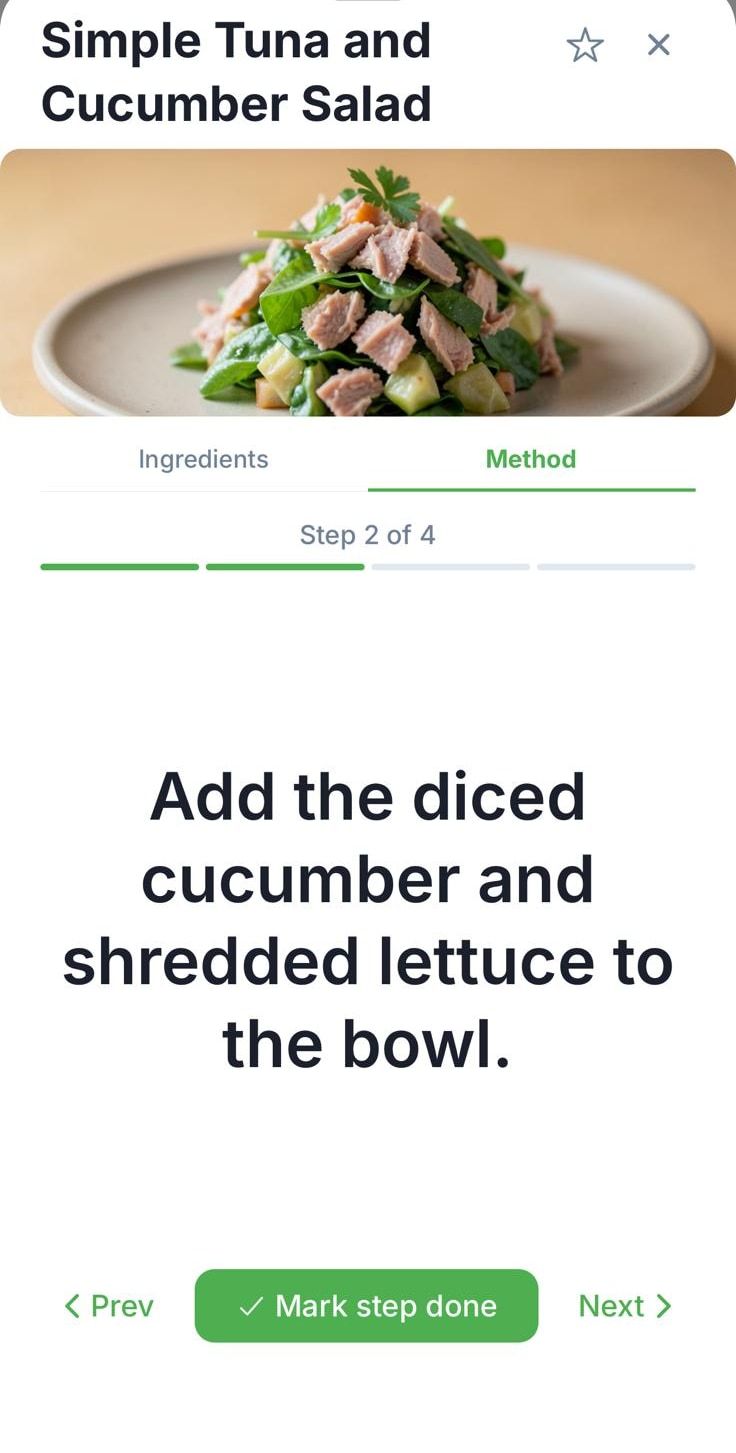
Cook Mode shows one step at a time, with a progress bar so you know how far you are.
Tap I Cooked This
Used food comes off your pantry, and the money and CO2e you saved are logged.
An AI cooking assistant that already knows your pantry
PantryAI's AI chef doesn't ask what you fancy and then send you to the shops. It works from the food you already have: your pantry, plus staples such as salt, oil and eggs. Every suggestion uses what's in your kitchen, so you spend less and throw less away.
Not sure what to cook? An optional "What's for dinner?" nudge arrives at 5pm. It's on by default and easy to turn off. The recipes themselves come from the AI recipe generator: 3 per search, Creative or Simple.
Cook Mode: one step at a time
Cook Mode puts one step on the screen at a time, so you're never hunting through a wall of text with floury hands. A progress bar shows how far through you are. Tap Mark step done as you go, Next to move on, or Prev to check what you just did.
See the dish before you cook
Wondering what it'll look like on the plate? Tap to make an AI photo of the dish. It's labelled as AI-generated, so you always know it's a picture of the idea, not a photo of someone's dinner.
It's a quick way to choose between your 3 recipes when you can't decide, or to check you're aiming for the right thing before you start. AI photos use your monthly image credits.
- Free and Basic
- 3 AI photos a month
- Deluxe
- 20 AI photos a month
I Cooked This updates your pantry
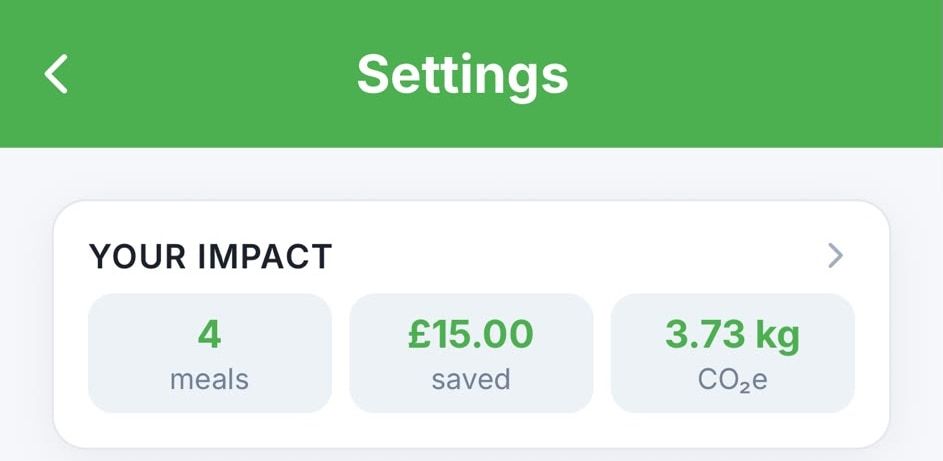
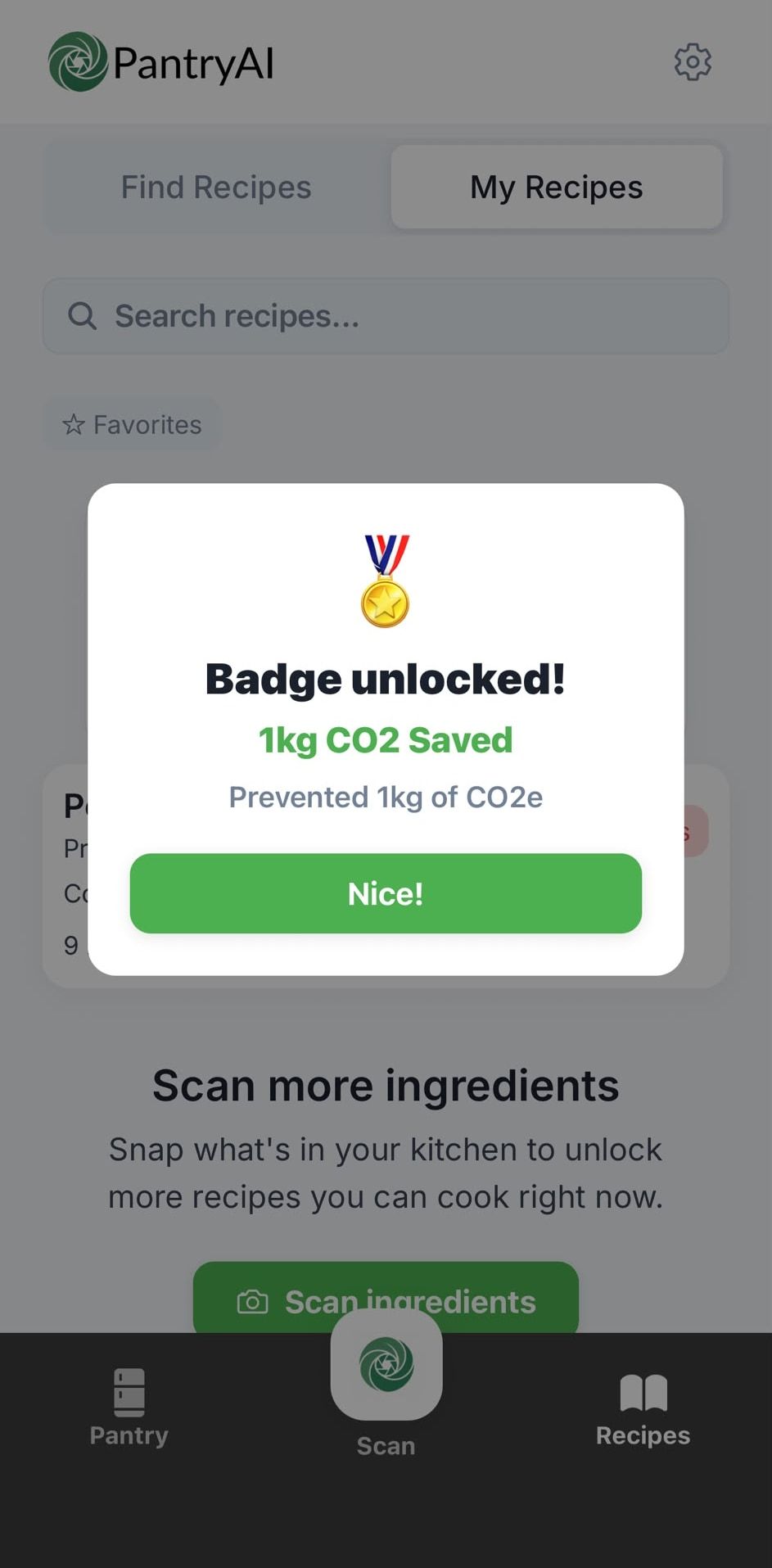
When you've eaten, tap I Cooked This. The food the recipe used comes off your pantry, so your list stays accurate for the next search. The money and CO2e you saved by cooking what you had are logged, and badges mark your milestones, 20 in all. Over a week, your impact card shows what cooking from your own pantry was worth, in money first and then in CO2e.
The recipe needs to be saved first: tap Save to Book, and it goes into your recipe book app, ready to cook. Want to know where the numbers come from? Read how we calculate money and CO2e saved.
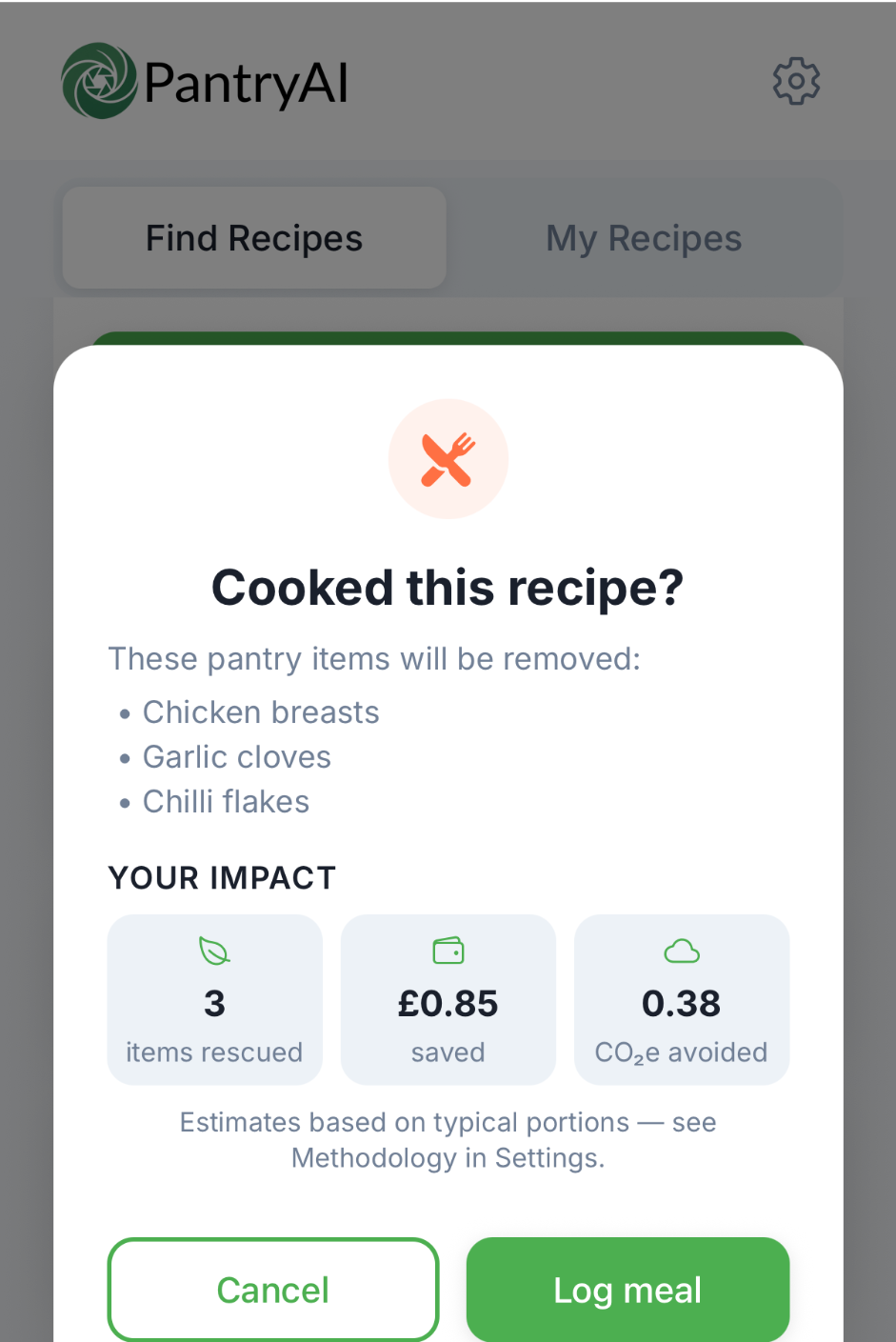
Real output: what cooking from your pantry adds up to
Real screens from the app: the running totals I Cooked This has logged, and a badge unlocked along the way.
Real output from PantryAI
What it doesn't do
It doesn't
- Chat. You can't ask it questions or talk it through a recipe.
- Voice control. You tap through Cook Mode yourself.
- Timers. Use your oven or phone timer alongside Cook Mode.
I Cooked This works on saved recipes, so save a recipe to your book before you cook it.
Questions people ask
More in the FAQ.
Can I talk to it?
No. There's no chat and no voice control. You pick a recipe and tap through Cook Mode one step at a time.
Does it have timers?
No. Cook Mode doesn't include timers, so use your oven or phone timer alongside it.
Do AI dish photos cost anything?
They use your monthly image credits: 3 a month on Free and Basic, 20 on Deluxe. To see what each plan includes, compare plans.
How is money saved worked out?
It's counted when you tap I Cooked This on a saved recipe. The app matches the recipe's ingredients to your pantry, counts the items you used up and estimates their value from typical prices for each food category, converted to your currency. All figures are estimates. The full method is in how we calculate money and CO2e saved.
Is PantryAI free?
Yes. The free plan includes 10 photo scans, 10 recipe searches and 3 AI images a month, with ads. Basic and Deluxe add more; compare plans.


Scan with your phone